Interactive
Landon'sGameRoom
Twelve touch-first games for practicing numbers, words, memory, music, and everyday skills.
- Role
- Sole designer and developer
- Built with
- HTML, CSS, JavaScript, Web Speech, Web Audio
Landon’s Game Room is a set of twelve learning games made for an iPad. They practice numbers, words, memory, music and everyday skills, with large controls, spoken prompts and a Help button in every game. I made it for my son.
The problem
The games had to work by touch on an iPad, read their prompts aloud, and move the difficulty up or down as he plays. A wrong answer, or a request for help, shouldn’t bring a buzzer, a lost game or a timer.
What I built
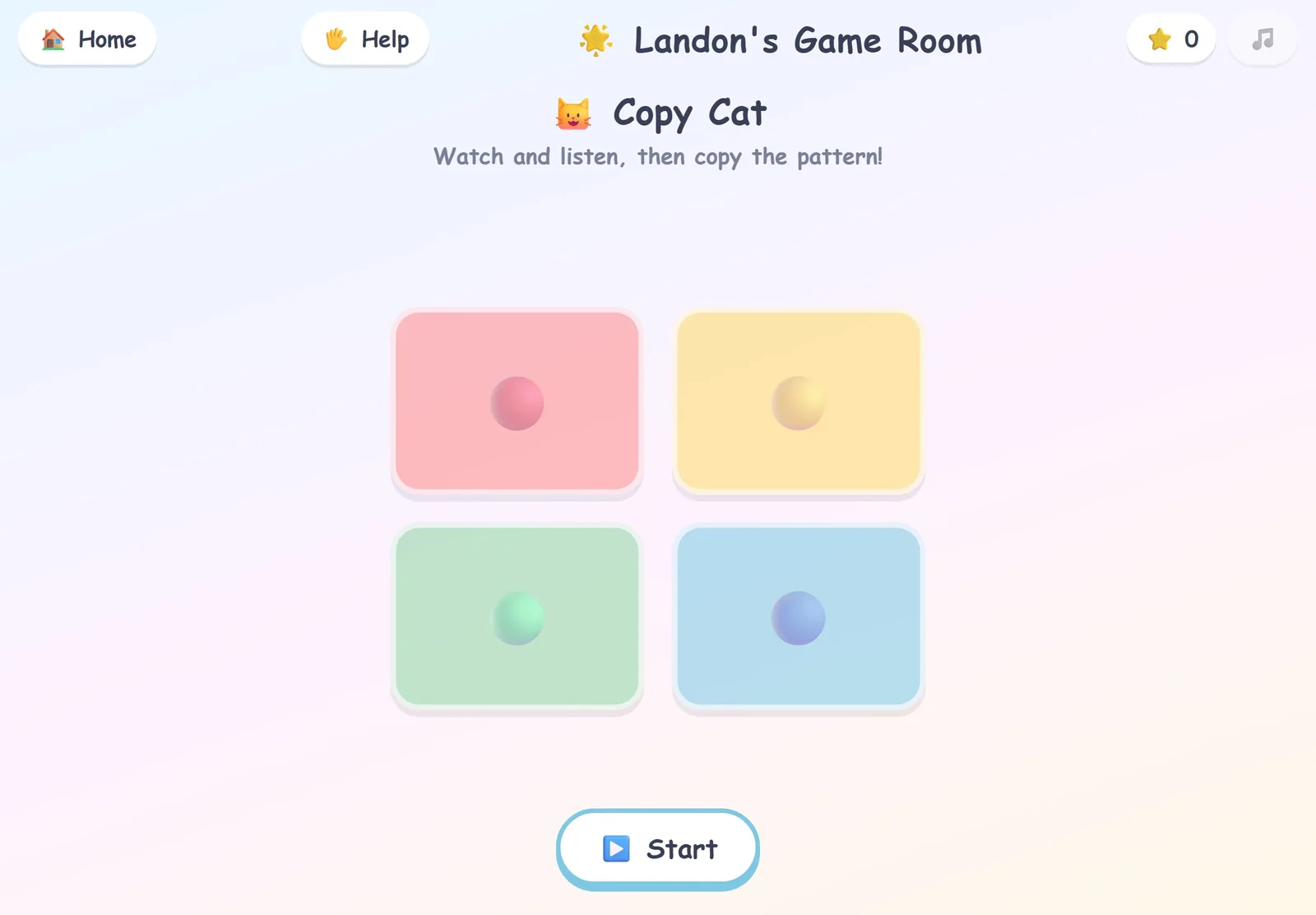
Math Bubbles has the player drag the answer into an equation. Word Builder has them drag letters into slots while the iPad speaks the word, and Copy Cat asks them to repeat a growing pattern of sounds and lights. The other games cover counting, matching pairs, a xylophone with songs to follow, puzzles, mazes, sorting, feelings, and tracing letters and numbers.
Several games adjust to the player. Math Bubbles moves up a level after four right answers in a row and down after two misses in a row, across six levels. Word Builder’s words grow from three letters to six, and decoy letters appear. Puzzle Builder’s grid grows from 2×2 to 6×6, and each win in Cheese Maze opens a bigger maze. Stars and levels are saved on the device.
Every game has a Help button. It says “Help please” out loud and then gives a real hint. In Math Bubbles the right bubble glows; in Word Builder the next letter does. The maze lights the next few steps, and Copy Cat plays its pattern again.
Dragging is the main way to play, and tapping works everywhere as a fallback. Prompts use the browser’s speech synthesis, and every sound is generated in the browser, so there are no audio files. The palette is calm pastels with no flashing. Background music stays off until it’s switched on, and the games respect the iPad’s Reduce Motion setting. Added to the home screen from Safari, it opens full screen with its own icon.
Key decisions
Mistakes get silence
Right answers earn pops, chimes, cheers and spoken praise. A wrong answer earns silence and a three-second pause, with a plain hourglass blocking input, and then play picks up where it was. There’s never a buzzer, a game over or a time limit. In Copy Cat, the same pattern plays again after the pause. The pause costs the player three seconds, on purpose; it’s a mild inconvenience with nothing entertaining in it. Three games skip it. Turning over a pair that doesn’t match is how a memory game is played, and in Puzzle Builder and Trace It, trial and error is the practice.
Help is always free
Asking for help never brings a pause or a penalty, so asking is always a better move than getting frustrated. The hints are real ones, and in some games that means giving the answer away. In Math Bubbles the hint lights the right bubble outright.
No build step, no dependencies
The whole thing is plain HTML, CSS and JavaScript, with every sound made in the browser. It runs from any static host, and Safari can add it to an iPad’s home screen like an app.
A closer look
The menu shows the twelve games as tiles, from Math Bubbles to Trace It.
In Copy Cat a wrong tap dims the pads behind an hourglass, with the words “Let’s watch it again.” Then the same pattern plays.
In Math Bubbles the player drags the answer into the box. Four right in a row brings up “Level 2!” and confetti.
In Cheese Maze the player drags a path, and the mouse follows it to the cheese. The level badge then reads Level 2.
How I checked it
For this portfolio I recorded a walkthrough on the site. It covers the menu, a Copy Cat round with one wrong tap, Math Bubbles up to a level-up and a solved maze, and each game behaved as described here. Landon plays it on his iPad, and watching him play has shaped the games.