Full-stack · Practical AI
BrewCV
One master profile, a tailored résumé for each job, and a check on every line the AI writes.
- Role
- Sole designer and developer
- Built with
- C#, ASP.NET Core, React, TypeScript, PostgreSQL, EF Core, Playwright, Anthropic and OpenAI APIs
BrewCV is a résumé builder for people applying to more than one job. You keep one master profile, paste a job posting, and get a résumé written for that posting. Each line the AI rewrites has to cite the profile material behind it, and it’s checked against that material before it reaches the page.
The problem
Tailoring a résumé means rewording the same work for every posting. A language model can do the rewording. Left unchecked, it also adds a bigger number, a tool the person never used, or “led” where the profile says “contributed”. BrewCV’s verifier tests include fifteen rewrites like those, and each one has to be refused.
The PDF matters as well. It has to match the page the person edited, and its text has to come out in the right order when software reads it.
What I built
The master profile can be typed in or filled from a PDF, a Word file, plain text or a LinkedIn export. Nothing an import reads joins the profile until the person accepts it.
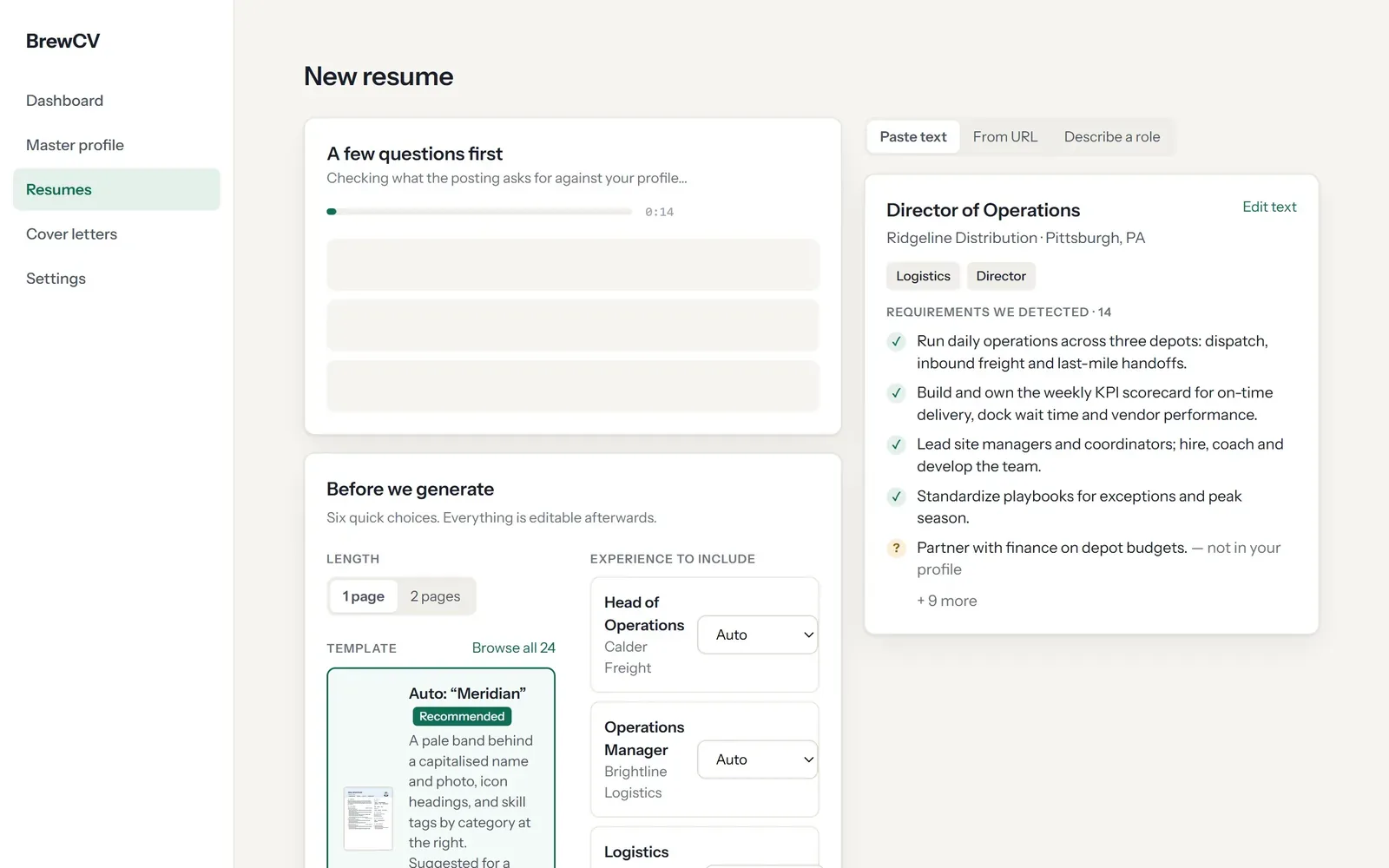
A posting can be pasted or read from its link. BrewCV turns it into a list of requirements and compares them with the profile. Anything the profile doesn’t cover is marked “not in your profile”, and the biggest gaps become up to five questions. An answer is used for that posting, and it reaches the master profile only if the person ticks a box.
The progress screen names six stages as they run, from reading the posting to fitting the page. In the editor every line shows its source; there’s a version history, a rewrite button for single lines, and 22 templates in one, two or three columns. Cover letters come from the same profile and are checked paragraph by paragraph. Downloads come as a PDF, a one-column Word file or plain text.
Key decisions
Code fills in the facts
The model returns only résumé lines and the summary. Job titles, employers, dates, degrees and certification names are copied in by code from the profile, so the model has no field to write them in. The cost is that a title always reads as the profile has it, even when a posting calls the same job something else.
Two checks, then the person’s own words
A rule check with no AI in it reads each rewritten line first, looking for numbers, tools, names and years that aren’t in the lines it cites. A line that passes goes to a second model, which sees only that line, its sources and the skills list. It never sees the posting. A refused line gets one retry, with the refused claims quoted back to the writer. If it fails again, the person’s own line stays, and a verifier that doesn’t answer is never counted as a pass. The checks are strict, so some honest lines stay untailored. The editor then shows what the AI wrote and suggests adding the claim to the profile, if it’s true.
The PDF prints from the same page
Headless Chromium prints the PDF from the app’s own print route, with the same layout code as the preview, so the file and the editor stay in step. The cost is a browser running on the server, with the memory use and cold starts that come with one.
A closer look
Pasting a posting turns it into requirements. This one, for a Director of Operations, has 14; four are checked, and partnering with finance on depot budgets is marked not in your profile.
The progress screen ticks off all six stages and notes why it picked the Dense template.
Clicking a rewritten line opens its panel, which reads “Source: 1 profile bullet” and “verified”.
In the Serif Modern template the same content reflows, with skills, education and certifications on the right.
The download menu offers the PDF, a one-column Word document with standard headings, or plain text for a box on an application form.
How I checked it
Unit tests cover the fact checker and the tailoring rules, including invented metrics, unsupported tools and missing citations. The evaluation suite replays recorded model output, so it runs on every push without calling a model and blocks a merge when a truthfulness gate fails. Its verifier set has 27 written lines, 15 to refuse and 12 to pass. A parity suite checks that each template’s PDF has the same text as its page, in the same order, with nothing past a margin and no extra pages.
For this case study I ran BrewCV end to end with an invented person and posting, through a LinkedIn-format import, the posting read, the gap questions and one generation. Every rewrite passed its check.
More screens
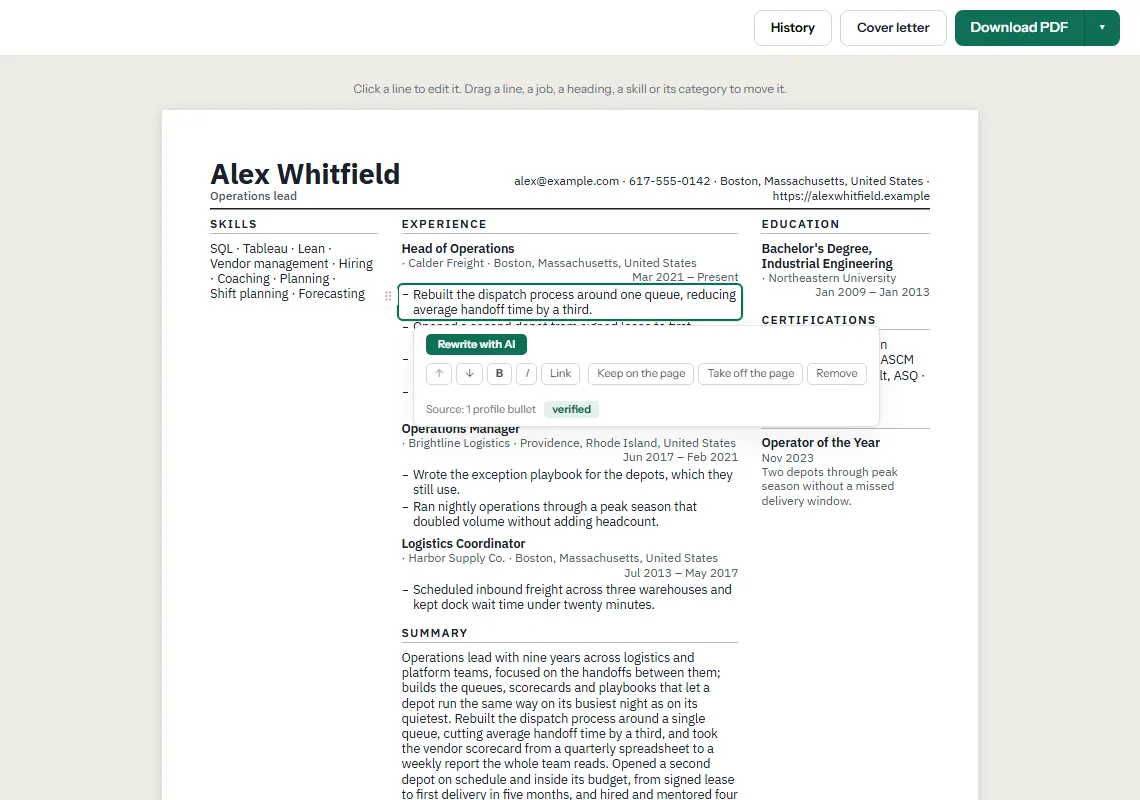
The BrewCV resume editor with one generated line opened to show the profile entry it came from. 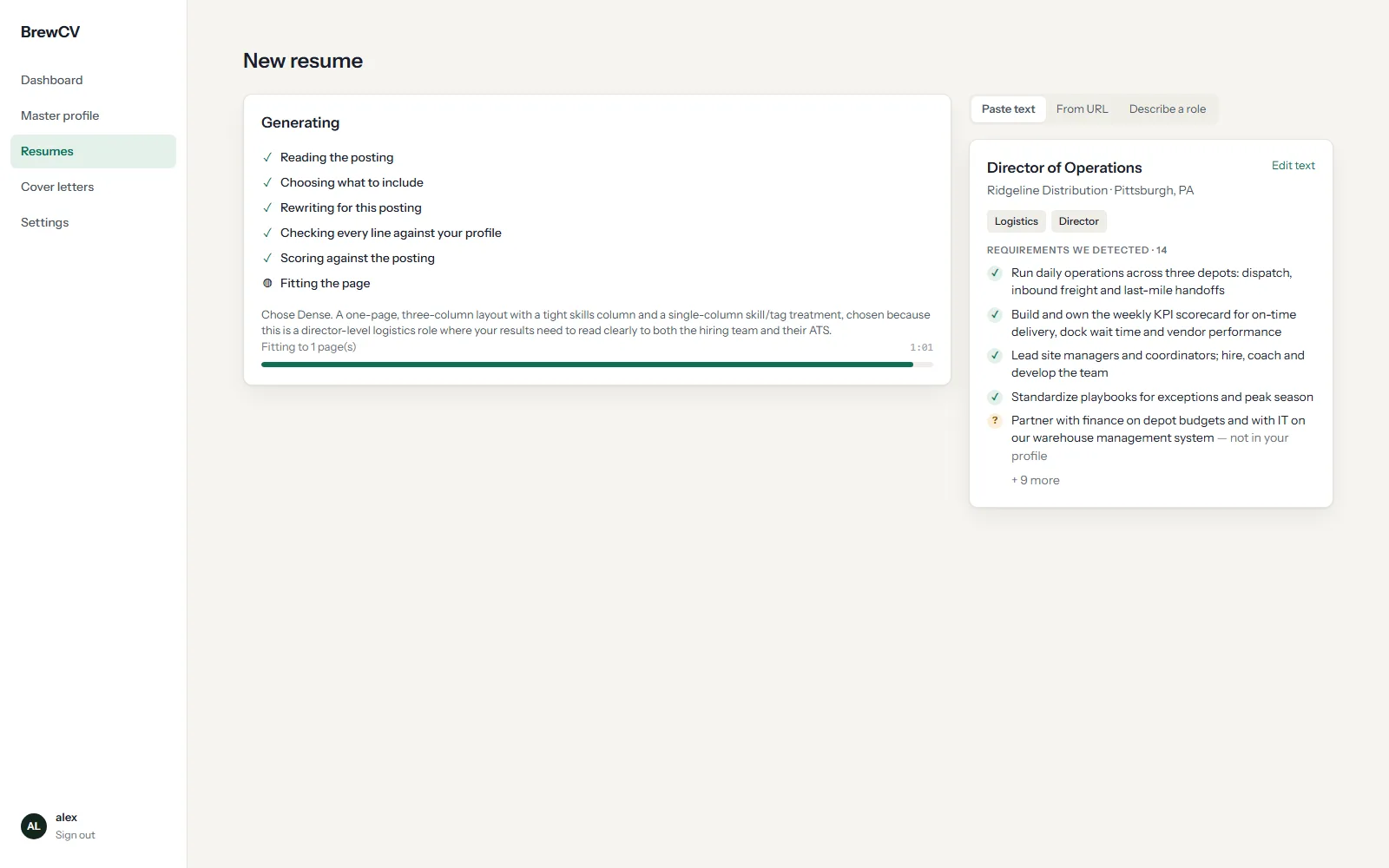
BrewCV generating a tailored resume from a pasted job posting. 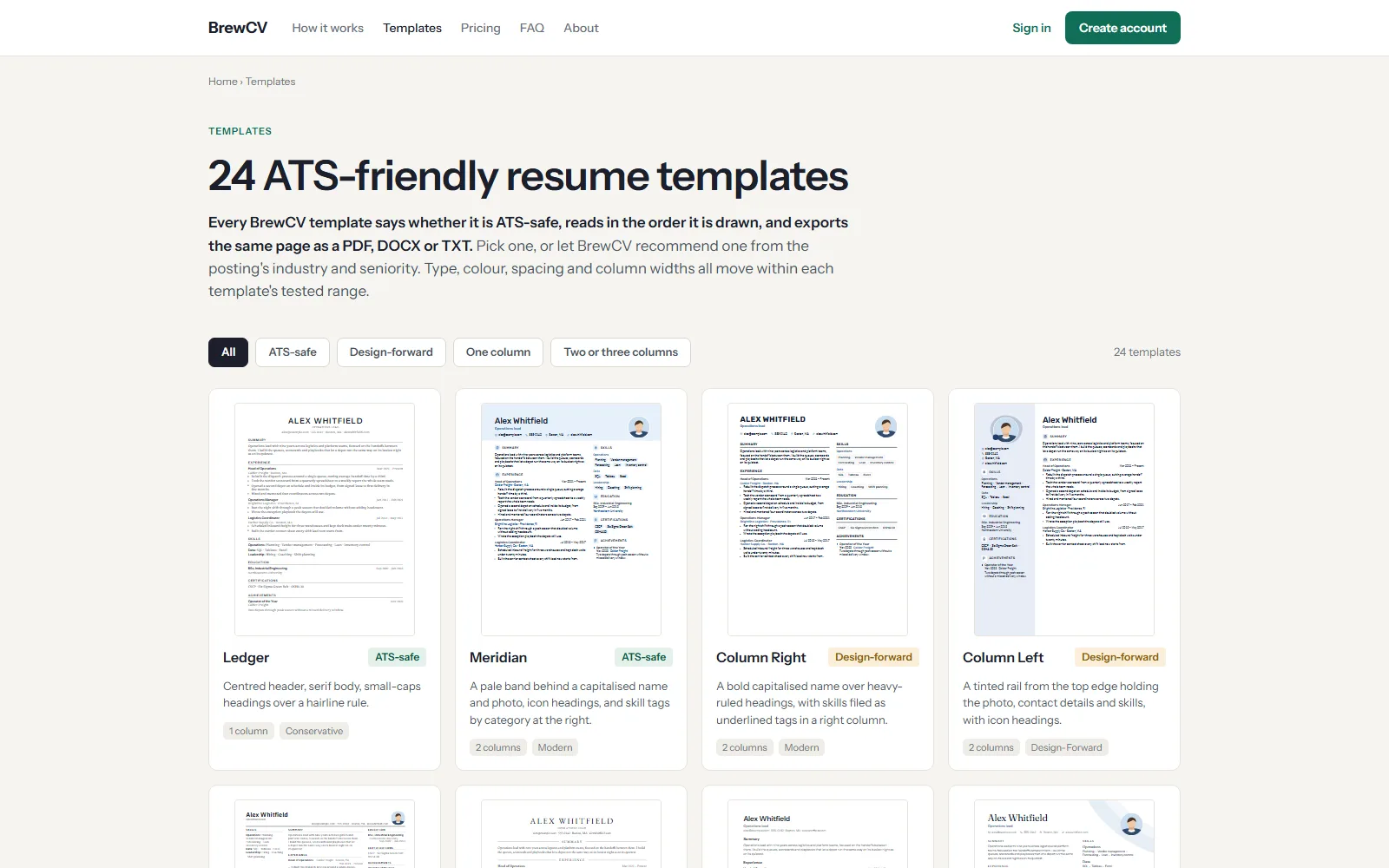
BrewCV resume templates side by side.